

Start with Overview
Open Overview and choose 7, 30, or 90 days. Depending on the features enabled and available data, the page can show:- sessions, median turns, resolution rate, and unique users;
- action success, errors, latency, and action health;
- sessions over time and common themes;
- the agent-surface funnel;
- Guidance performance; and
- token use and estimated spend.
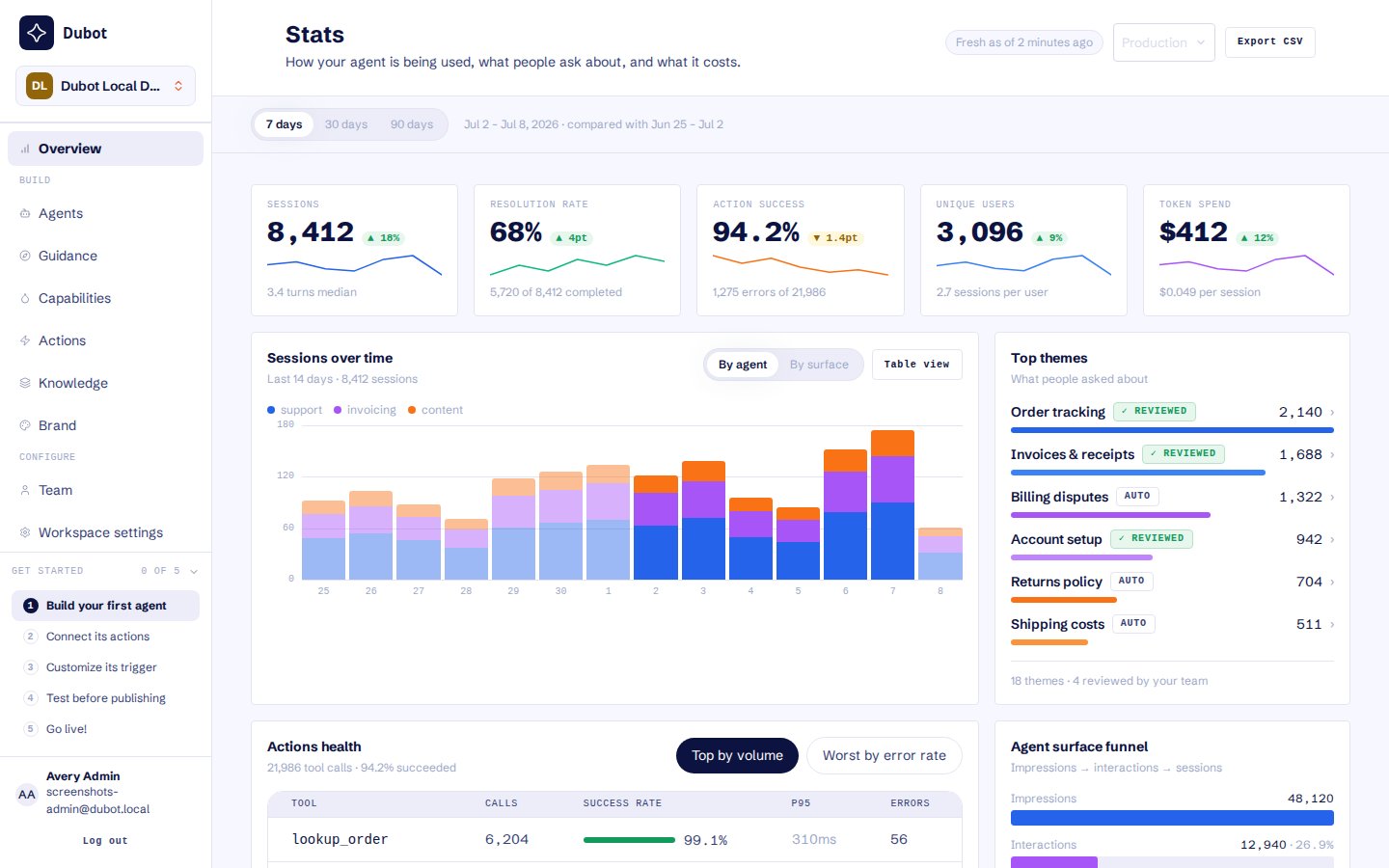
Start with workspace trends, then open the supporting session, run, or action record.
Open the supporting activity
For an action, open Activity to compare its success rate, latency, and recent calls. Filter the
list before opening the failed or slow record that needs investigation.
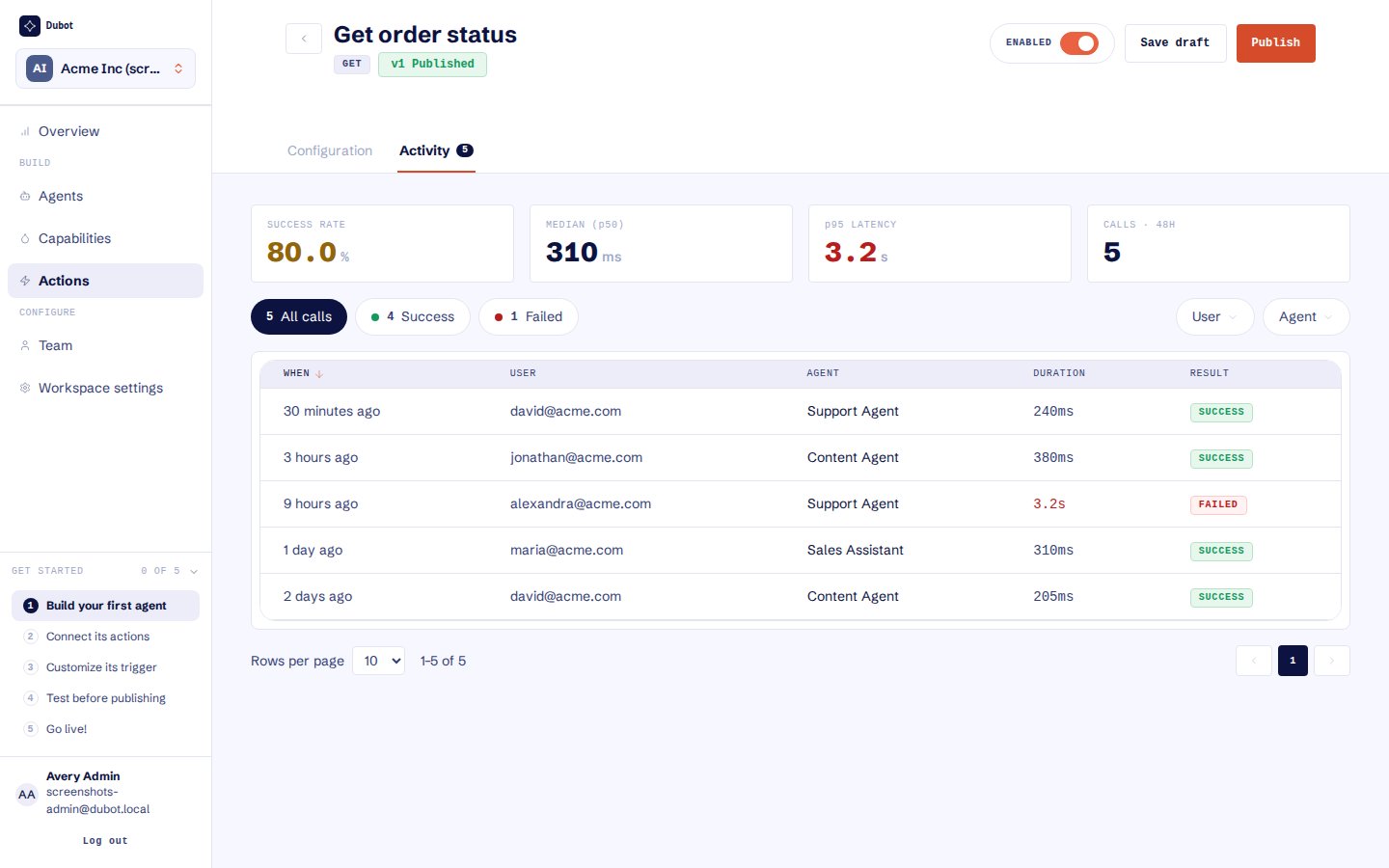
Use outcome and latency filters to find the specific calls that need investigation.
Diagnose before changing configuration
1
Identify the pattern
Use the date range, theme ranking, action-health table, or feature metrics to find a repeated
outcome. Do not optimize around a single unusual session.
2
Open the underlying record
Read the full transcript, run timeline, or action call. Confirm the user, agent, page, duration,
and result belong to the behavior you are investigating.
3
Find the responsible version
Check whether the activity came from the live published configuration or a later draft tested
by an operator. Draft testing is not customer adoption.
4
Change one dependency
Update the smallest responsible object, test it, and publish deliberately. Revisit the same
activity view after enough comparable sessions have accumulated.
Interpret the evidence carefully
- A rendered surface is not the same as a started session.
- A tool request is not the same as a successful customer-side operation.
- A completed assistant turn is not necessarily a resolved customer outcome.
- A draft tested by an operator is not customer adoption.
- Per-theme Guidance counts can overlap because one run may carry several themes.
- Cached or unavailable analytics panels should not be treated as zero.
Resource Center Analytics does not retain the customer’s search or question text as an aggregate
metric. Ask conversation detail is available separately to authorized workspace users.