

Choose the right control
Open Version history to compare a known snapshot with the working version. Restore copies
the selected snapshot into the draft for review; it does not change Production until you publish
that restored draft.
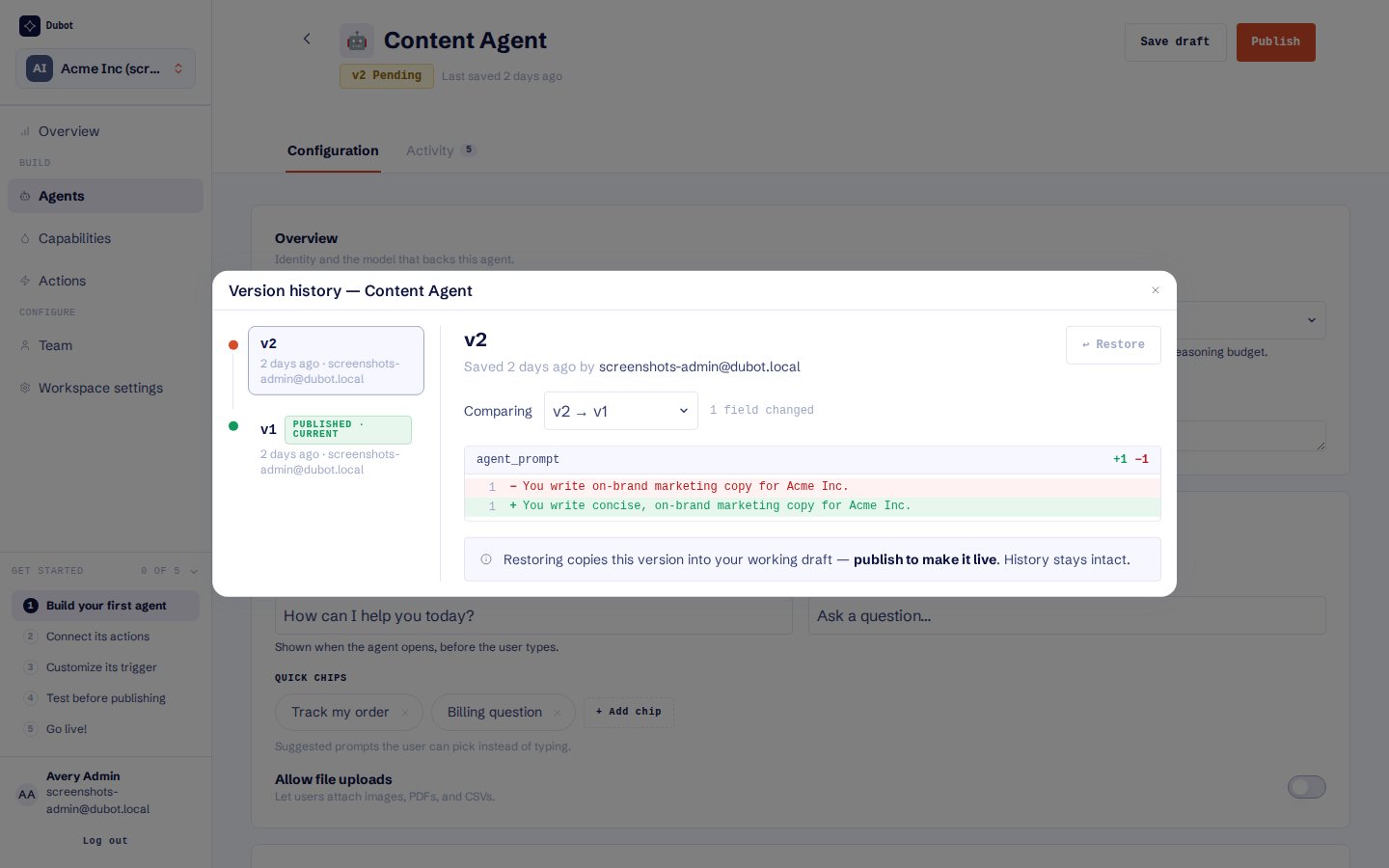
Restore copies the selected version into the working draft. Production changes only after a new publish.
Stop a customer-facing problem
1
Identify the smallest affected entity
Open the supporting conversation, run, or action call. Confirm the active Wizard, guide,
action, capability, Resource Center, and version before changing configuration.
2
Remove or isolate the live dependency
Unpublish the affected experience when the whole surface is unsafe. For a single action,
disable or unpublish the action and remove it from the Skill when needed. For a guide, unpublish
it and remove or replace Resource Center cards that depend on it.
3
Repair in Test
Restore a known version or save a corrected draft. Exercise the original failure plus one safe
success case and one unavailable or declined case.
4
Republish in dependency order
Publish the repaired action before its Skill, the Skill before its Wizard or Resource Center,
and a guide before the Resource Center card that launches it.
5
Verify Production and Activity
Repeat the original customer job on the approved origin, then inspect the new conversation,
run, or call rather than relying only on the rendered surface.
Knowledge removal
Re-crawl a source before removing articles that merely appear missing. Remove verified orphaned articles only when they are no longer intended for retrieval. Deleting a source removes every article extracted from it and can change Search, Ask, Wizard, Guidance, and Product domain capability results that depend on those articles.Dependency-specific checks
See Preview and publish safely for lifecycle definitions and
Understand analytics and activity for finding the supporting record.