

Actions are versioned, publishable contracts. Creating or publishing an action does not make it
available to an experience until a published Skill capability includes it and that capability is
attached to the active agent.
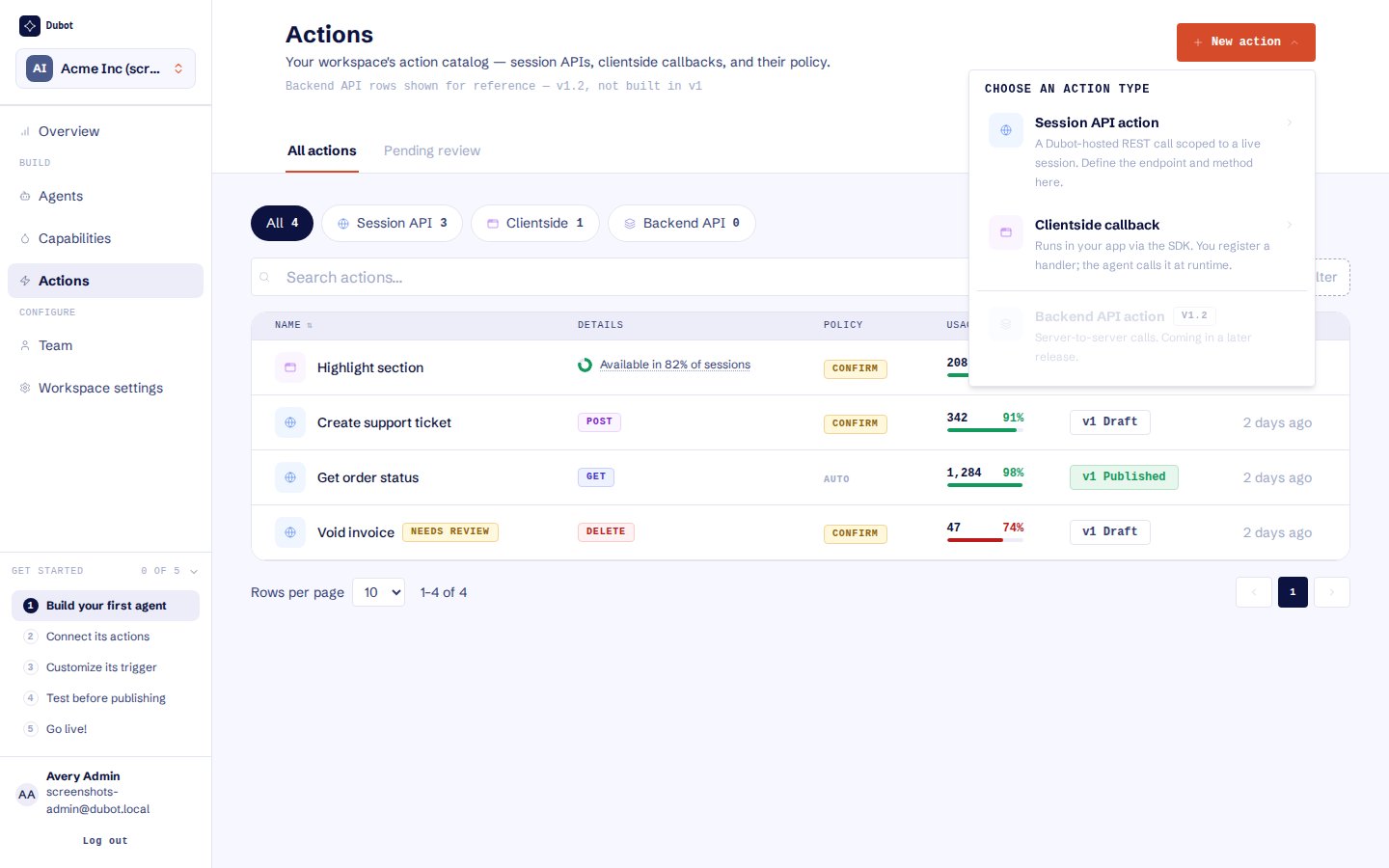
Choose the execution branch that owns the operation. Backend API actions are not yet available.
Start with the shared contract
Give the action a human title, model-facing description, response mask, and execution policy. Chooseauto or confirm. Dubot derives the stable tool key from the title when the action is
created. The action also has an enabled state, and MCP availability is a separate opt-in when that
channel is in scope.
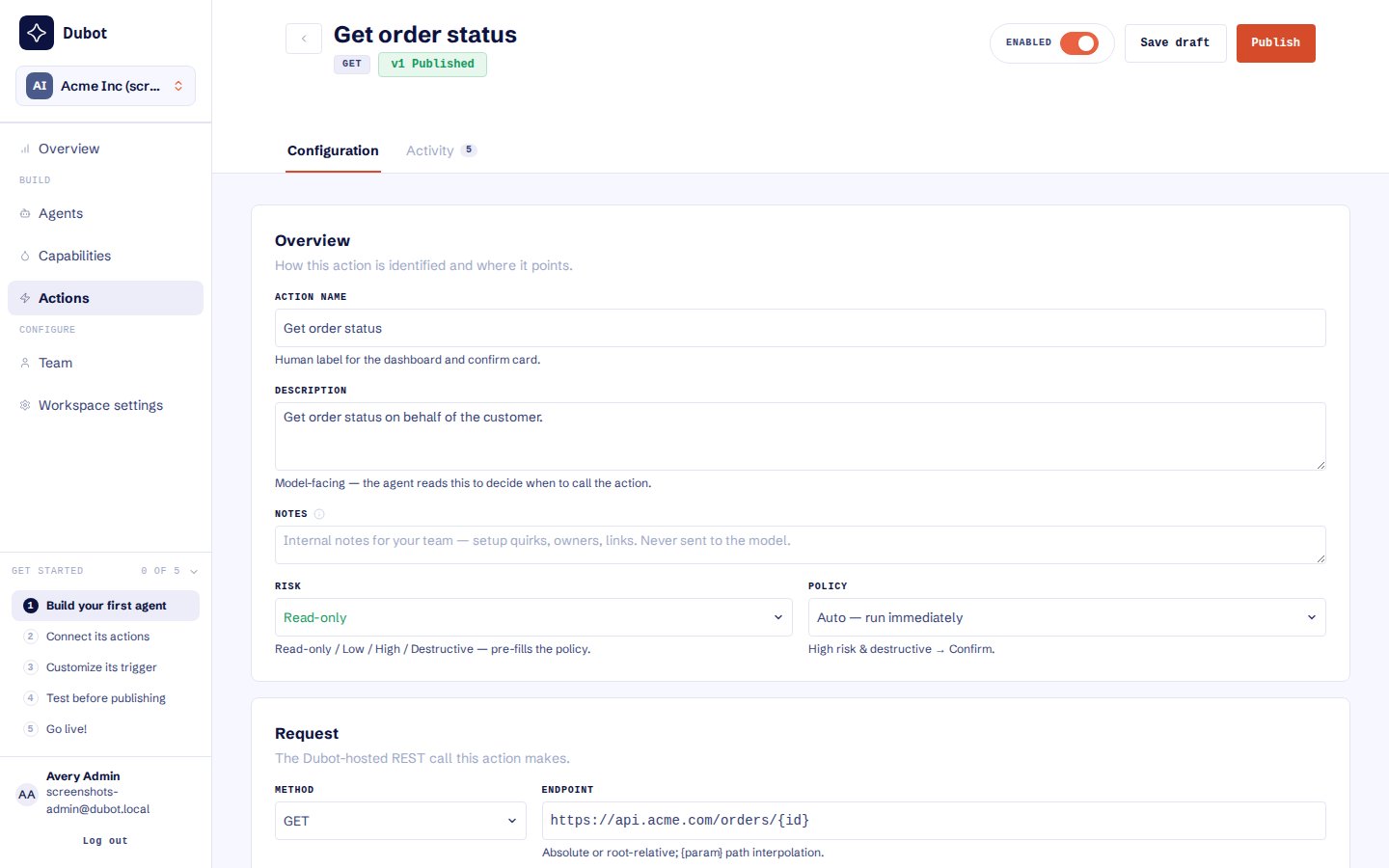
Review the description, risk, policy, method, endpoint, schema, and response mask before publishing.
Choose an execution branch
- Session API
- Client-side callback
Use this for an authenticated operation in the customer’s product API. Define the HTTP method
and endpoint, input schema, response mask, risk classification, and
auto or confirm policy.
Customer-owned first-party code resolves the published tool key and performs the request with
the application’s existing authentication.Save, review, and publish
1
Create the draft
Choose the action type, complete its required fields, and select Create.
2
Review and install
Check schema evidence, response fields, risk, policy, enabled state, and availability behavior. Install a client-side callback in the host before expecting it to run.
3
Publish
Publish the version that should be eligible for runtime use.
4
Attach through a Skill
Add the published action to a Skill capability, then publish that capability.
confirm in the editor, but the saved
execution policy is the runtime control and still requires review.
Backend API actions are shown as a future action type and are not part of the current product
contract.