

1. Create or select a brand
Open Brand. Select an existing brand from the brand switcher, or choose New brand and name it. To make the selected brand the workspace default, use its menu and choose Set as default.2. Configure the tabs
Use your design assets to map brand values to each surface. Apply the values you know and keep unrelated settings unchanged. Start with the shared primitives, then review surface overrides:- Primitives controls the shared color, typography, shape, and other base tokens.
- Agent Chat controls chat-specific branding.
- Guidance controls the Guidance overlay tokens.
- Resource Center is a surface view with no separate token set. Its specific branding comes from Primitives.
Choose colors by their role
Use your main accent for primaryColor, and choose a readable primaryColorContrast for text and icons on it. Map backgrounds to surfaceColor and raisedSurfaceColor, then set text, secondary text, borders, links, and semantic success/error colors. Review Agent Chat message backgrounds and Guidance controls separately. Some Guidance values derive from shared primitives when no override is set. A saved override can therefore keep its own color after you change a primitive. Check the preview and contrast warnings instead of assuming that every surface changed.Set up fonts
Font family selects a font; it does not download one. Enter its CSS family name with suitable fallbacks, for example"Your Brand Font", system-ui, sans-serif.
Font stylesheet URL is optional because a usable font may already be available on the host
page or device. If the intended font already renders correctly, you do not need to add another
stylesheet just to fill this field. A font working on your computer does not by itself show that
all customer devices can load it.
If the font is not already available, use the exact HTTPS stylesheet URL from your font provider
or your own licensed hosting. The URL must point to CSS that declares the intended font. Dubot
does not provide a font-file upload in this editor. Do not construct a provider URL from the font
name or remove an existing working stylesheet unless you intend to replace it.
A family such as Sofia Pro can work when it is already loaded. An empty stylesheet field is
not evidence that the font failed. Verify the rendered font in the actual host product,
including a browser or device that does not rely on your local font installation.
3. Preview and save
Select Preview to inspect the live preview. Switch its scene to Chat, Guidance, or Resource Center as needed. Make edits, then select Save draft.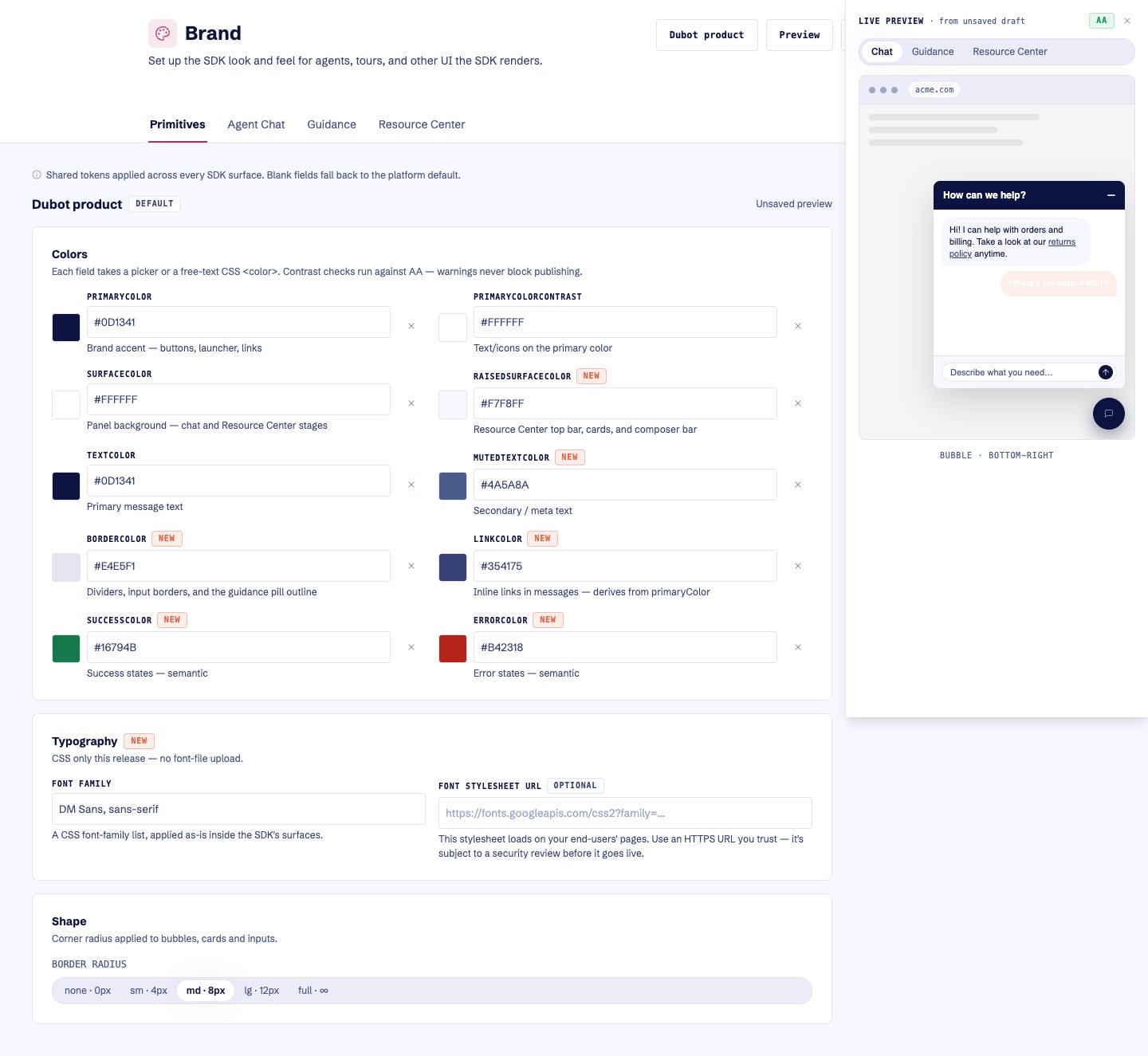
Preview unsaved Brand changes on the selected SDK surface before publishing.
4. Publish
Select Publish after saving. Publishing saves the current editor state first, then publishes the brand version. Production uses the published brand. Selecting a default brand changes which brand the workspace resolves by default; it does not itself publish unsaved token edits.Blank fields inherit the platform default. Use Reset to defaults when you want to clear every
authored token while preserving the brand identity and version history.